

More Info
Compare options faster and move the conversation to WhatsApp
Bino is your one-stop WhatsApp-based search platform for all your laptop repair needs in Tiruchirappalli. We connect you with trusted local technicians and repair services, comparing prices, services, and customer reviews to help you find the best deal. Simply message Bino on WhatsApp, specify your repair requirements, and we will search multiple networks and local databases, contact nearby technicians on your behalf, and present you with the most cost-effective and reliable options. No need to visit multiple shops—Bino makes laptop repair hassle-free and transparent.
Recent partner coverage for this search
How fast offers arrive
For similar Bino requests in this category, the typical first offer arrived in 3 min. 100% of first offers arrived within one hour.
Based on recent first-offer timing for comparable Bino marketplace requests.
Why choose home laptop repair services in Tiruchirappalli?
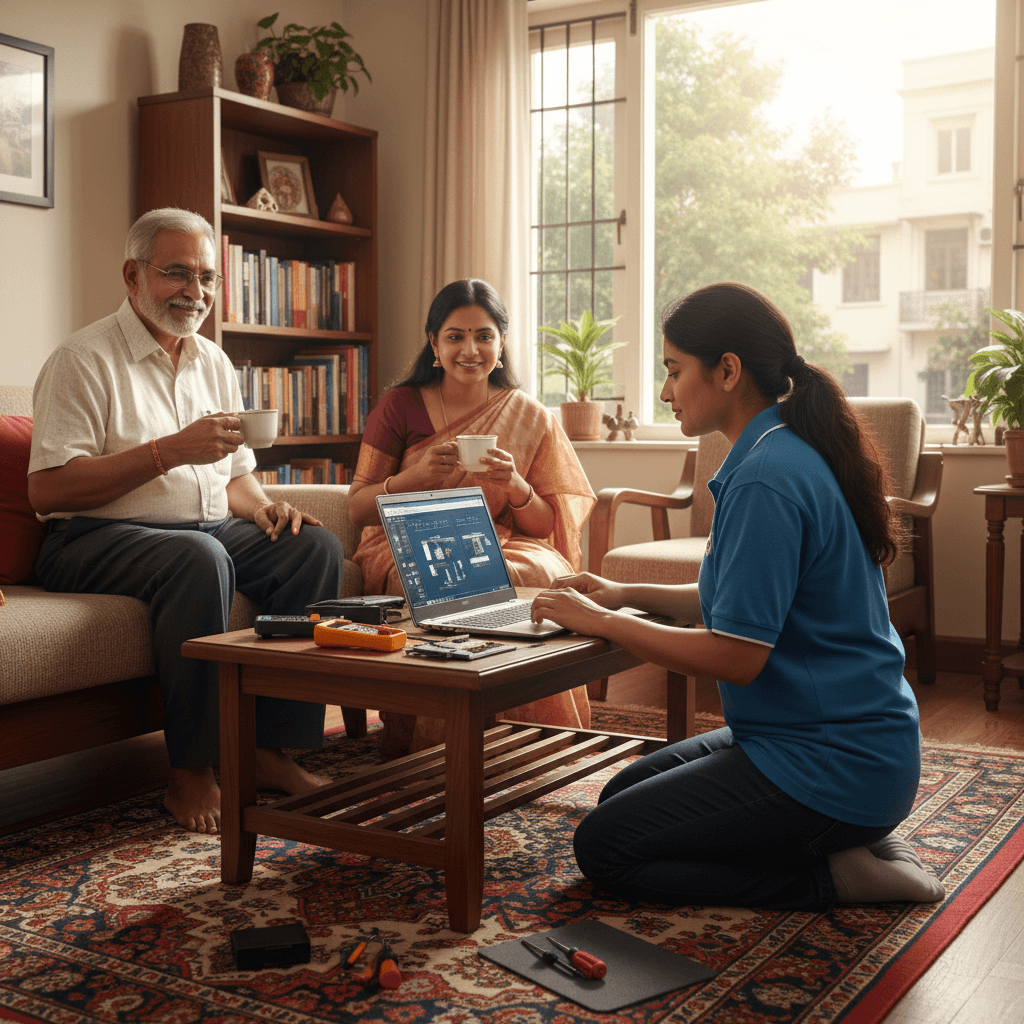
Home laptop repair services offer convenience, saving you time and effort. Certified technicians visit your location, assess the issue, and provide repairs on-site. Bino simplifies this process by aggregating trusted local repair providers, comparing prices, and ensuring you get quality service at the best price. Whether your laptop has hardware issues, software problems, or needs cleaning, Bino helps you find reliable technicians in Tiruchirappalli ready to assist at your doorstep.
Frequently Asked Questions
How can Bino help me find the best laptop repair technician in Tiruchirappalli?
What types of laptop repairs can be done at home?
What is the typical cost for laptop repair at home in Tiruchirappalli?
Are home repair services reliable and secure?
Practical guidance before you choose
The Ultimate Guide to Laptop Repair Home Visit Services in Tiruchirappalli (Trichy)
Is your laptop giving you trouble in the bustling city of Tiruchirappalli? Whether it’s a slow boot-up, a cracked screen, or a persistent software glitch, dealing with computer issues can bring your productivity (or entertainment) to a screeching halt.
The good news? You don't have to lug your precious machine across Trichy to a crowded repair shop. Laptop repair home visit services have revolutionized convenience, bringing professional expertise right to your doorstep.
This comprehensive guide will walk you through everything you need to know to compare prices, ensure quality, and secure the best deal for professional laptop repair in the comfort of your home in Tiruchirappalli.
Why Choose a Home Visit Laptop Repair Service in Trichy?
In a city known for its vibrant culture and busy streets, time is valuable. Home service offers unparalleled advantages over traditional brick-and-mortar shops:
1. Unmatched Convenience
Forget traffic jams, parking woes near Rockfort Temple, or rushing across town during your lunch break. The technician comes to you, whether you are working from home in Thillai Nagar or studying near Bharathidasan University.
2. Transparent On-Site Diagnosis
You witness the entire diagnostic process. This transparency builds trust, as you can see exactly what the issue is before any major repairs begin.
3. Data Security
When you take your laptop to a crowded shop, your sensitive data is out of sight. With a home visit, the technician works in your controlled environment, significantly reducing the risk of data exposure or accidental tampering.
4. Faster Turnaround for Minor Issues
Many common problems—like software fixes, virus removal, or RAM upgrades—can be resolved in a single visit, often within a few hours.
Understanding the Landscape: What Services Do Home Visit Technicians Offer?
Modern laptop repair technicians are skilled generalists. When searching for a reliable home service in Tiruchirappalli, ensure they cover the scope of your specific problem.
Hardware Repairs and Replacements
This category involves the physical components of your machine:
- Screen/Display Issues: Cracked screens, flickering displays, or backlighting problems.
- Keyboard and Touchpad Repair: Fixing sticky keys, unresponsive pads, or replacing entire keyboard units.
- Battery Replacement: Dealing with laptops that no longer hold a charge.
- Component Upgrades: Installing faster SSDs (Solid State Drives), increasing RAM, or replacing older hard drives for performance boosts.
- DC Jack/Charging Port Repair: Fixing issues where the laptop won't charge properly.
- Overheating Solutions: Cleaning internal fans, reapplying thermal paste, and ensuring proper cooling.
Software and Performance Troubleshooting
Often, the problem isn't physical, but digital:
- Operating System Installation & Reinstallation: Setting up Windows, macOS, or Linux from scratch.
- Virus and Malware Removal: Deep cleaning infected systems to restore speed and security.
- Data Recovery: Attempting to retrieve files from failing hard drives or corrupted partitions.
- Driver Issues: Resolving conflicts that cause peripherals or internal components to malfunction.
- Performance Optimization: Tweaking settings to make older laptops run smoother.
How to Compare Prices and Find the Best Deal in Tiruchirappalli
The biggest challenge in choosing a home service is often price transparency. Here is a strategic approach to ensure you get professional service without overpaying.
1. Differentiate Between Visit Fees and Repair Costs
When inquiring about a home visit service, always clarify the pricing structure:
- Service/Visit Fee (Diagnosis Charge): This is a fixed amount charged simply for the technician to travel to your location, diagnose the issue, and provide a quote. Some companies waive this fee if you proceed with the repair. Always ask if the diagnosis fee is deductible.
- Part Cost: The actual price of the replacement component (e.g., a new screen or battery).
- Labour Charge: The fee for the technician’s time and expertise to perform the repair.
Pro Tip: A surprisingly cheap initial quote often means the company inflates the labour charge later. Look for comprehensive, all-inclusive pricing where possible.
2. Benchmark Quotes Using Bino
Instead of calling five different local numbers, leverage platforms designed for quick, accurate local sourcing.
Bino Insight: Platforms like Bino allow you to send a single, detailed request describing your laptop model and issue (e.g., "Dell Inspiron 15, screen flickering, near Collector Office"). You then receive competitive quotes directly from verified local service providers in Trichy, allowing for easy, side-by-side comparison of total estimated repair costs.
3. Ask About Warranty and Guarantees
The cheapest option isn't always the best deal if the repair fails next week. A professional service should offer a warranty covering both the parts they installed and their labour.
- Standard Expectation: Look for a minimum 30-day warranty on labour and at least a 90-day warranty on new parts. Top-tier services might offer 6 months.
4. Verify Technician Credentials (Subtly)
While you shouldn't demand formal certification papers at your door, you can gauge expertise through your initial conversation:
- Ask Specific Questions: Instead of just "Can you fix it?", ask, "What specific thermal paste do you use for high-performance Intel processors?" A knowledgeable technician will answer confidently.
- Model Familiarity: Always mention your exact laptop brand and model number when booking. A good service should confirm they have experience with that line.
Common Laptop Issues and Estimated Cost Factors in Tiruchirappalli
While exact pricing fluctuates based on part availability and market rates in Trichy, understanding the cost drivers helps manage expectations.
| Laptop Issue Category | Factors Influencing Cost | Typical Price Range (Labour + Parts Estimate) |
|---|---|---|
| Software Fixes (Virus, OS reinstall) | Complexity of malware; need for data backup. | Low to Moderate |
| RAM/SSD Upgrade | Speed/capacity of the new module; ease of access (some models require full disassembly). | Moderate |
| Screen Replacement | Size (13", 14", 15.6"); resolution (HD vs. Full HD); Touchscreen vs. Non-Touch. | Moderate to High (Parts are expensive) |
| Motherboard Repair (Complex chip-level) | Requires specialized tools; high risk/high skill involved. | High |
| Battery Replacement | Quality of the replacement battery (OEM vs. third-party); model accessibility. | Moderate |
Key Cost Note for Trichy: Imported parts, especially for premium or older models, will naturally cost more than standard components due to supply chain logistics. Always confirm the brand of the replacement part being used.
Red Flags: How to Avoid Unreliable Home Repair Services
The convenience of home service can sometimes attract less scrupulous operators. Be vigilant to protect your wallet and your data.
🚩 Red Flag 1: Insistence on Taking the Laptop Away
If the technician claims the repair is too complex for an on-site fix and insists on taking your laptop back to their workshop, this defeats the purpose of a home visit and should raise immediate suspicion. Major repairs (like motherboard work) should be quoted clearly before they leave your sight, or you should seek another service.
🚩 Red Flag 2: Vague or No Warranty Offered
If the technician cannot provide a written or clearly stated digital warranty slip covering parts and labour, walk away. A professional repair business stands behind its work.
🚩 Red Flag 3: Pressure Tactics and Upselling
Be wary of technicians who immediately declare your entire system is failing and insist you need expensive upgrades (like doubling your RAM or buying new software) when you only called for a simple virus removal. Stick to the quoted repair for the initial problem.
🚩 Red Flag 4: No Professional Identification or Booking System
Reliable home services usually operate through a centralized booking system, use professional communication channels, and might wear branded attire or carry company ID. If the contact is solely a personal mobile number with no digital paper trail, proceed with caution.
Preparing for Your Home Laptop Repair Appointment
A little preparation ensures the technician can work efficiently, potentially saving you money on labour time.
- Backup Critical Data (If Possible): If your laptop still boots, quickly back up essential documents to an external drive or cloud service. Even if the technician offers data recovery, having a primary backup is the safest bet.
- Clear the Workspace: Ensure the technician has a clean, flat surface (like a dining table) to work on. Good lighting is essential.
- Identify the Symptoms: Write down exactly when the problem occurs. Example: "It only crashes when I open Photoshop, not when I browse Chrome." This helps the technician replicate the fault quickly.
- Locate Necessary Information: Have your laptop’s model number (usually on the bottom sticker) and any relevant charger details handy.
Conclusion: Finding Your Trusted Local Laptop Expert
Finding the best laptop repair home visit service in Tiruchirappalli is about balancing cost, convenience, and trust. By knowing what to ask, understanding typical price structures, and being aware of potential pitfalls, you can secure a professional fix without the hassle.
Don't let a malfunctioning laptop slow down your life in Trichy. Utilize modern tools and comparison methods to connect with certified, reliable technicians who bring expert service directly to your door. Quick, transparent, and convenient—that’s the future of local laptop support!